60 Best Photo Collage Prompts for ChatGPT & Gemini (Copy & Paste, 2026)
60 copy-and-paste AI photo collage prompts for ChatGPT and Gemini. Birthday, couple, family, baby, aesthetic, boys, girls, and 3-photo grids, plus fixes when faces change.

In this article
- How to use these prompts
- The collage prompt formula
- Birthday photo collage prompts
- Couple photo collage prompts
- Family photo collage prompts
- Baby photo collage prompts
- Aesthetic photo collage prompts for girls
- Photo collage prompts for boys
- Friends photo collage prompts
- Travel photo collage prompts
- Christmas and holiday collage prompts
- 3-photo, 2x2, and grid collage prompts
- One-photo AI collage prompts (from a single selfie)
- Instagram-ready collage prompts
- Fixes when the AI gets it wrong
- AI chatbot or AI collage app?
Typing "make a collage of my photos" into ChatGPT or Gemini usually gives you something messy. Faces change, text is misspelled, and the shape is wrong for Instagram.
The fix is a better prompt. Below are 60 copy-and-paste photo collage prompts, sorted by occasion. Each one works in both ChatGPT and Gemini. Tap Copy, upload your photos, paste, and send.
You will also find a simple prompt formula, so you can write your own, and fixes for the most common problems.
How to use these prompts
In ChatGPT
- Open ChatGPT and start a new chat.
- Tap the + button and upload your photos.
- Paste a prompt from this page and send it.
- Download the image. Reply with small fixes if something is off.
In Gemini
- Open the Gemini app or gemini.google.com.
- Tap + and upload your photos.
- Paste a prompt and send it.
- Download the image, or ask for changes in the same chat.
Tip: Use clear, well-lit photos where faces look straight at the camera. The AI keeps faces better when it can see them clearly.
The collage prompt formula
Every good collage prompt has six parts. Fill them in and you can make any collage you want.
Make a [LAYOUT] photo collage using my [NUMBER] uploaded photos. Style: [STYLE AND COLORS]. Add the text "[YOUR TEXT]" in [FONT STYLE]. Size: [SHAPE, like 4:5 portrait or 9:16 story]. Keep every face exactly the same as in my photos and do not change anyone's features.
| Part | Examples |
|---|---|
| Layout | 2x2 grid, 3-photo vertical strip, one big photo with 4 small, scrapbook, polaroid wall |
| Style | soft cream and beige, film grain, black and white, pastel pink, cozy Christmas |
| Text | a name, a date, "Best Night", or no text at all |
| Size | 1:1 square, 4:5 Instagram post, 9:16 story, 2:3 print |
| Face rule | always include "keep every face exactly the same" |
Birthday photo collage prompts
1. Classic birthday grid
Make a birthday photo collage using my uploaded photos in a clean 2x2 grid with thin white borders. Soft pastel background with a few gold confetti dots. Add the text "Happy Birthday [Name]" at the top in an elegant script font. 4:5 portrait. Keep every face exactly the same as in my photos.
2. Then and now birthday
Create a side-by-side birthday collage. Put my first photo on the left labeled "Then" and my second photo on the right labeled "Now". Warm vintage film tones, cream background, simple serif font. Add "[Age] years of you" at the bottom. 1:1 square. Do not change any faces.
3. Star-frame party collage
Make a party collage from my 4 photos. Place each photo inside a star-shaped frame on a deep purple to pink gradient background. Add the title "BEST NIGHT" in bold white capital letters in the center. 9:16 story size. Keep all faces exactly as they are.
4. One photo per year
Create a birthday timeline collage using my uploaded photos in the order I uploaded them. Arrange them left to right like a film strip, with a small year label under each photo. Black background, white film-strip edges, minimal white text. 16:9 wide. Keep every face unchanged.
5. Birthday magazine cover
Turn my photo into a magazine cover for a birthday. My photo fills the page. Big bold title "[NAME]" at the top, small cover lines like "Turning [Age]" and "The Birthday Issue". Clean fashion-magazine layout, black and white text. 4:5 portrait. Keep my face exactly the same.
Couple photo collage prompts
6. Heart-frame love collage
Make a romantic collage from my 3 couple photos. Put each photo in a soft heart-shaped frame on a blush pink background. Add "Us, Always" in a delicate script font. Light, dreamy, and clean. 4:5 portrait. Keep both of our faces exactly the same.
7. Anniversary timeline
Create an anniversary collage using my photos in the order I uploaded them, from our first photo to our newest. Arrange them in a gentle curved path with a small year under each one. Cream paper background, thin gold lines, serif font. Title: "[Number] Years Together". 2:3 portrait. Do not change our faces.
8. Polaroid love wall
Make a collage that looks like polaroid photos taped to a white wall. Use my uploaded couple photos, each tilted slightly, with tiny handwritten captions under each one. Add a few small red hearts. Natural daylight, soft shadows. 4:5 portrait. Keep every face identical to my photos.
9. Film strip date night
Create a vertical film-strip collage with my 4 date-night photos, like an old photo booth strip. Black and white with light film grain. Add "Date Night" at the bottom in a small typewriter font. 9:16 story. Keep both faces exactly as in the originals.
10. Song lyric collage
Make a minimal couple collage with one large photo on top and two small photos below. Plenty of white space. Add the line "[a short line from your song]" in a thin italic serif font under the photos. Black and white. 4:5 portrait. Do not alter our faces.
Family photo collage prompts
11. Family card layout
Create a family photo collage with my main family photo large in the center and 4 smaller photos around it. Soft white background, thin borders, rounded corners. Add "The [Family Name] Family" and the year at the bottom in a classic serif font. 2:3 portrait for printing. Keep every face exactly the same.
12. Three generations
Make a three-generations collage using my uploaded photos: grandparents on the left, parents in the middle, kids on the right, with one group photo across the top. Warm, natural colors, cream background, simple serif labels. 4:5 portrait. Do not change anyone's face.
13. Family scrapbook page
Make a family scrapbook page from my photos. Mix rectangle and square photos with washi tape on the corners, small doodles, and a kraft paper background. Add the title "Our Little World" in a handwritten font. 1:1 square. Keep all faces unchanged.
14. Holiday at home
Create a cozy family collage from my photos with a warm living-room feel. One large photo at the top, three small ones below. Soft golden light, cream and brown colors. Add "Home" in a thin elegant font. 4:5 portrait. Keep every face exactly as in my photos.
15. Family tree style
Make a family tree collage. Place my uploaded photos in round frames connected by thin branch lines, with the oldest generation at the top. Light sage green background, small name labels under each photo. 4:5 portrait. Keep faces identical.
Baby photo collage prompts
16. Month by month
Create a baby month-by-month collage using my 12 photos in a 3x4 grid, in the order I uploaded them. Add a small label "1 month" to "12 months" on each photo. Soft cream background, pastel accents, rounded corners. 4:5 portrait. Keep the baby's face exactly the same in every photo.
17. Newborn soft collage
Make a gentle newborn collage from my photos: one large photo and three small detail photos of hands, feet, and face. Soft beige and white, very light and airy. Add the baby's name "[Name]" and birth date in a delicate font. 4:5 portrait. Do not change the baby's features.
18. First birthday
Create a first-birthday collage with my photos in balloon-shaped frames on a pastel blue background. Add "One" in big rounded letters in the middle and small confetti. 1:1 square. Keep every face exactly as in my photos.
19. Baby milestones
Make a milestone collage from my photos with a caption under each one: "First smile", "First steps", "First food", "First word". Clean white background, thin grey borders, simple sans-serif font. 4:5 portrait. Keep faces unchanged.
20. Little explorer
Create an adventure-themed baby collage with my photos inside postage-stamp frames on a light map background. Add "Little Explorer" at the top. Warm, soft colors. 4:5 portrait. Do not alter the baby's face.
Aesthetic photo collage prompts for girls
21. Soft photo dump
Make an aesthetic photo-dump collage from my photos. Mix sizes, leave lots of space between them, soft beige background, warm film tones, light grain. No text. 4:5 portrait. Keep my face exactly the same in every photo.
22. Pinterest moodboard
Create a Pinterest-style moodboard using my uploaded photos. Overlap them slightly like a collage on a corkboard, add a few torn-paper edges and small handwritten notes. Neutral cream, brown, and white tones. 2:3 portrait. Do not change my face.
23. Magazine fashion edit
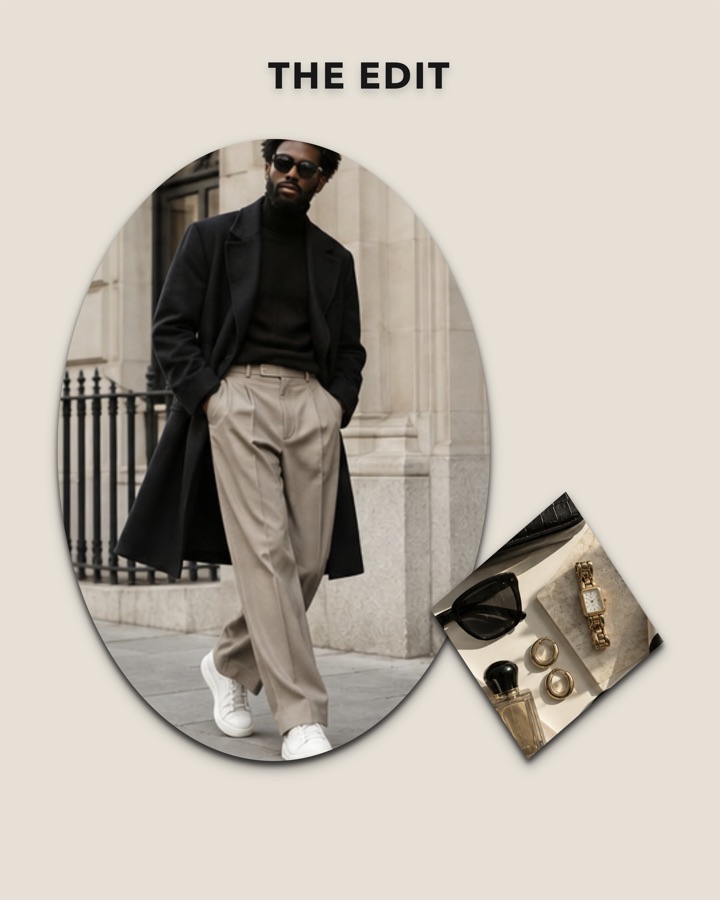
Make a fashion magazine collage with my outfit photos. One large photo on the left, two smaller on the right. Add the title "THE EDIT" at the top in bold black capitals. Clean off-white background. 4:5 portrait. Keep my face and outfit exactly as in my photos.
24. Pink girly scrapbook
Create a cute pink scrapbook collage with my photos. Add little bows, hearts, sparkles, and a gingham pattern background. Polaroid-style frames. Add "main character energy" in a playful font. 9:16 story. Keep my face unchanged.
25. Coquette ribbon collage
Make a soft coquette-style collage from my photos with pale pink and cream colors, satin ribbon bows on the corners, and lace edges. Dreamy and delicate. No text. 4:5 portrait. Keep my face exactly the same as in my photos.
Photo collage prompts for boys
26. Streetwear grid
Make a bold streetwear collage from my photos in a 2x2 grid with thick black borders. High contrast, slightly desaturated colors, concrete texture background. Add my name "[Name]" in big condensed white capitals. 4:5 portrait. Keep my face exactly the same.
27. Black and white portrait set
Create a black and white portrait collage with my 3 photos: one tall photo on the left and two stacked on the right. Strong shadows, film grain, thin white lines between photos. No text. 4:5 portrait. Do not change my face.
28. Sports highlight collage
Make a sports highlight collage from my photos with dynamic diagonal frames, motion streaks, and a dark background. Add "GAME DAY" in bold athletic font. 9:16 story. Keep my face and jersey exactly as in my photos.
29. Gym progress
Create a before-and-after gym collage. My first photo on the left labeled "Day 1", my second on the right labeled "Day [Number]". Dark grey background, clean white sans-serif labels. 1:1 square. Keep my face exactly the same in both.
30. Travel adventure
Make a rugged travel collage from my photos with a topographic map background and stamp-style labels for each place. Earthy green and brown tones. Add "[Place], [Year]" at the bottom. 4:5 portrait. Do not change my face.
Friends photo collage prompts
31. Squad roll call
Make a friends collage with one photo of each friend in a clean grid, each with their name in a small label below. Add a group photo across the top. Fun bright colors, white borders. 4:5 portrait. Keep every face exactly as in my photos.
32. Night out
Create a night-out collage from my photos with a flash-photo look, slightly tilted frames, and a black background with small star stickers. Add "last night was a movie" in a handwritten font. 9:16 story. Do not change any faces.
33. Long-distance friends
Make a collage with each of my friends' photos in a separate frame, each labeled with a city name, connected by a dotted line like a travel map. Add "Wish You Were Here" at the bottom. 4:5 portrait. Keep faces unchanged.
34. Photo booth strip
Turn my 4 photos into a classic photo booth strip, two strips side by side, black and white, with the date stamped at the bottom. 2:3 portrait. Keep every face exactly the same.
35. Friendship anniversary
Create a friendship collage with our old photos on the left and new photos on the right, with "Then" and "Now" labels. Add "[Number] years of us" at the top. Warm vintage colors. 4:5 portrait. Do not alter faces.
Travel photo collage prompts
36. Postcard collage
Make a vintage postcard collage from my travel photos. One large landscape photo with "Greetings from [Place]" in retro letters, plus small photos with a stamp and postmark. Warm faded colors. 3:2 landscape. Keep any faces exactly the same.
37. Travel journal page
Create a travel journal page with my photos, ticket stubs, a small map, and handwritten notes. Kraft paper background, washi tape, coffee-stain texture. Title: "[Place] Diary". 4:5 portrait. Do not change faces.
38. Golden hour series
Make a collage of my sunset photos in a 3-photo vertical stack with thin cream borders. Boost the warm golden tones slightly. Add "golden hour" in a small italic serif font. 9:16 story. Keep faces unchanged.
39. Day by day trip
Create a trip collage with one photo per day, in the order I uploaded them, each labeled "Day 1", "Day 2", and so on. Clean white background, modern sans-serif font. 4:5 portrait. Keep every face as in my photos.
40. Wanderlust map
Make a collage where my travel photos sit in circles placed on a world map, with a dotted flight path between them. Soft blue and cream colors. Add "Places I've Been" at the top. 16:9 wide. Do not change any face.
Christmas and holiday collage prompts
41. Christmas card
Create a Christmas card collage with my main family photo large in the center and 4 smaller photos around it. Deep green background, gold borders, small pine branches and red berries in the corners. Add "Merry Christmas from the [Name]s" in an elegant gold script. 2:3 portrait. Keep every face exactly the same.
42. Cozy winter
Make a cozy winter collage from my photos with soft snowy light, knitted textures, and warm candle glow. One big photo on top, two below. Add "Warm Pages, Cold Days" in a clean serif font. 4:5 portrait. Do not change faces.
43. Christmas morning
Create a playful Christmas morning collage from my photos with wrapping-paper textures, ribbons, and small gift stickers. Add "Christmas [Year]" at the top. Bright red, green, and gold. 1:1 square. Keep everyone's face unchanged.
44. New Year recap
Make a "top 9 of the year" collage from my photos in a 3x3 grid with thin black borders. Add "[Year] in 9 photos" at the bottom with a few gold sparkles. 4:5 portrait. Keep every face exactly as in my photos.
45. Valentine's Day
Create a Valentine's collage from my couple photos in heart frames on a soft red background with tiny white hearts. Add "Be Mine" in a cute rounded font. 4:5 portrait. Keep both faces exactly the same.
3-photo, 2x2, and grid collage prompts
46. 3-photo vertical
Make a 3-photo vertical collage, stacked top to bottom with equal sizes and thin white gaps. No text. 9:16 story. Keep every face exactly as in my photos.
47. 3-photo hero layout
Create a collage with my first photo large on the left and my other two photos stacked on the right. Thin white borders, off-white background. 4:5 portrait. Do not change faces.
48. Classic 2x2 grid
Arrange my 4 photos in a 2x2 grid with equal squares, thin white borders, and no text. Keep the original colors. 1:1 square. Keep every face exactly the same.
49. 3x3 grid
Arrange my 9 photos in a 3x3 grid with 4-pixel white gaps between them. Keep the original colors and do not add anything. 1:1 square. Keep all faces unchanged.
50. One big, four small
Make a collage with my first photo large across the top and my other 4 photos in a row of small squares below. Clean white background. 4:5 portrait. Do not change any face.
One-photo AI collage prompts (from a single selfie)
These create a collage from one photo of you, in different poses or outfits. Faces change more with these, so add the face rule every time.
51. 2x2 portrait set
Using my uploaded photo, create a 2x2 collage of four portraits of the same person: smiling, laughing, looking to the side, and a close-up. Same outfit, same soft studio light, neutral beige background. 1:1 square. Keep my face exactly the same in all four.
52. Four seasons
Using my photo, create a 2x2 collage of me in four seasons: spring with flowers, summer at the beach, autumn with leaves, winter in snow. Matching soft film look. 4:5 portrait. Keep my face identical in every frame.
53. Retro photo booth
Using my photo, make a vintage photo booth strip of four poses of me: smiling, making a funny face, looking away, and laughing. Black and white, film grain. 2:3 portrait. Keep my face exactly the same.
54. Outfit lookbook
Using my photo, create a 3-photo fashion lookbook collage of me in three different outfits: casual, smart, and evening. Same pose, clean white studio background. 4:5 portrait. Keep my face and body exactly as in my photo.
55. Decades collage
Using my photo, create a 2x3 collage of me styled in the 1950s, 1960s, 1970s, 1980s, 1990s, and 2000s, with a small decade label on each. 4:5 portrait. Keep my face exactly the same in every frame.
Instagram-ready collage prompts
56. Story with safe space
Make a 9:16 Instagram story collage from my photos. Keep all photos and text in the middle of the frame, leaving the top and bottom 15 percent empty. Clean white background, thin borders. Keep every face exactly the same.
57. Carousel cover
Create a 4:5 Instagram carousel cover collage from my photos with one large photo and a bold title "[Your Title]" across the bottom third. Minimal and clean. Do not change faces.
58. Weekly recap
Make a weekly recap collage with 7 small photos labeled Mon to Sun in a neat grid. Soft neutral background, simple sans-serif font. 4:5 portrait. Keep faces unchanged.
59. Before and after
Create a clean before-and-after collage: first photo on the left labeled "Before", second on the right labeled "After". Thin divider line, white labels on a dark background. 1:1 square. Keep every face exactly the same.
60. Highlight cover style
Make a 9:16 story collage of my photos inside round frames, like Instagram highlight covers, arranged in two rows on a soft beige background. No text. Keep all faces as in my photos.
Fixes when the AI gets it wrong
Faces changed. Reply with: "Keep every face exactly as in my original photos. Do not change features, skin, or expressions." Use clearer photos and upload fewer at once.
Text is misspelled. Keep text short, put it in quotes in the prompt, and reply with: "Fix the text so it says exactly: [your text]."
Wrong shape. Name the shape clearly, like "9:16 vertical story" or "4:5 portrait." Reply with "Make this exactly 4:5" if needed.
Photos are missing. Some tools use only part of your upload. Reply with: "Use all [number] of my photos and show each one once."
Everything looks too busy. Reply with: "Make it simpler. Fewer decorations, more white space, one font."
It made up new people or places. Add: "Only use my uploaded photos. Do not add new people, objects, or backgrounds."
AI chatbot or AI collage app?
ChatGPT and Gemini redraw your photos into one new image. That is why faces can change, and why you cannot move one photo or fix one word afterward.
An AI collage app works differently. In the CollageFlow AI Collage Creator, you pick your photos and describe your idea, just like a prompt. The AI then designs the layout, fonts, and stickers around your real, untouched photos.
| ChatGPT or Gemini | CollageFlow | |
|---|---|---|
| Your faces | Redrawn, can change | Your real photos, untouched |
| Edit after | Ask again and hope | Move, swap, or resize anything |
| Text | Sometimes misspelled | Real text you can edit |
| Video | No | Mix videos and photos |
| Sizes | Ask in the prompt | One tap: 1:1, 4:5, 9:16, and more |
You can even paste any prompt from this page into CollageFlow. Tap the mic and say it, or type it in.
Want ideas for the photos themselves? See our 40 photo collage ideas, or learn how to make a collage on Instagram story.
Questions people ask
What is the best photo collage prompt for ChatGPT?
A good prompt names the layout, the number of photos, the style, any text, the size, and tells the AI to keep faces the same. For example: "Make a 2x2 photo collage from my 4 uploaded photos, soft cream background, thin white borders, title Best Day Ever, 4:5 portrait, keep every face exactly the same."
How do I make a photo collage with Gemini?
Open the Gemini app, tap the + button to upload your photos, paste a collage prompt, and send it. Download the result. If faces or text come out wrong, reply with a short fix like "keep my face exactly as in the original photo."
Why does the AI change my face in a collage?
ChatGPT and Gemini redraw the whole image, so faces can shift a little. Add "keep every face exactly the same as in my photos, do not change features" to your prompt, use clear front-facing photos, and upload fewer photos at once.
How many photos can I upload to Gemini for a collage?
Google's help pages say the Gemini app accepts up to 10 files in one prompt, but limits change and depend on your plan. For the best faces, use 3 to 6 photos per collage.
Is there a way to make an AI collage without changing my photos?
Yes. Apps like CollageFlow use AI to design the layout, fonts, and stickers, but place your real photos untouched. Every photo and text stays editable after the AI is done.
Keep reading.
All articles →
How to Make a Collage on Instagram Story: 5 Easy Ways (With Videos & Music)
Put multiple photos and videos in one Instagram story. 5 easy ways, with Layout or without it, plus 30 story collage ideas, sizes, and fixes when Layout is missing.
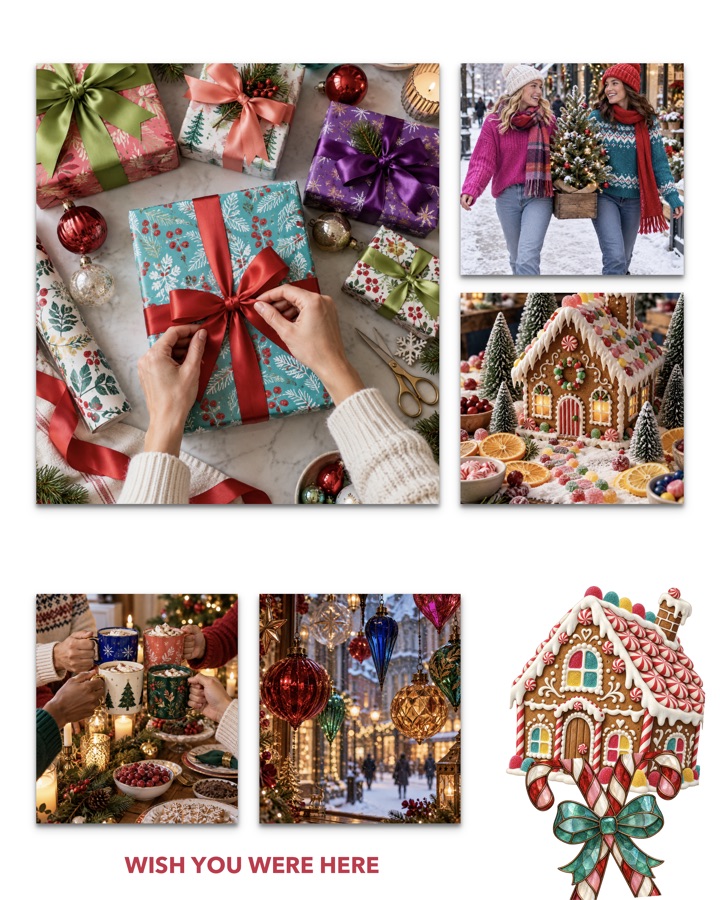
45 Christmas Photo Collage Ideas for 2026 (Family, Couples, Cards & More)
45 Christmas photo collage ideas for families, couples, friends, and kids. Plus card sizes, captions, and how to make one on your iPhone in minutes.
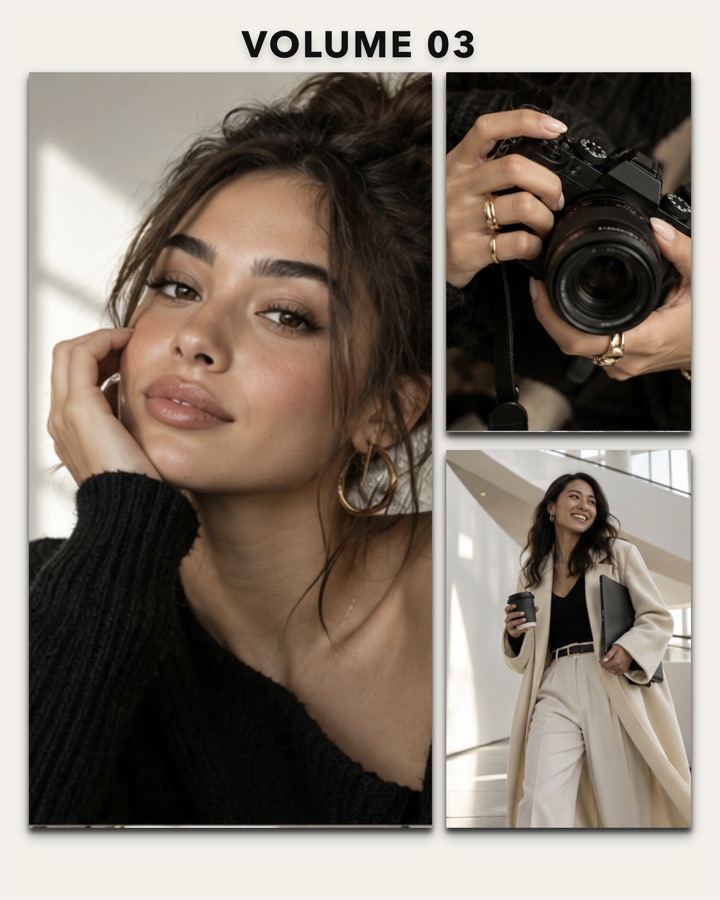
The 7 Best Collage Apps for iPhone in 2026
We compared the most popular collage apps for iPhone. Here is what each one is best at, who it is for, and which one to pick.